 RetireFlo Resources
← All tutorials
RetireFlo Resources
← All tutorials
Integrating Compass CRM with RetireFlo
Connect your Compass CRM so your RetireFlo submissions flow straight into your pipeline.
Log in to Compass CRM
The very first step is the one thing we can't help you with: open up a tab and log in to your Compass CRM. Once you have that squared away, the rest is super easy.
Log in at retireflo.com in another tab
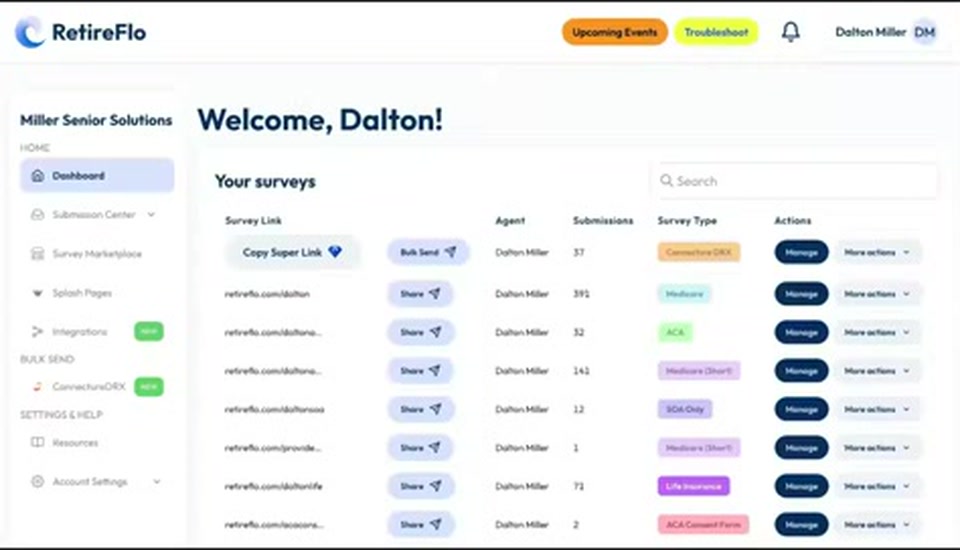
In a different tab, log in at retireflo.com and you'll land in your RetireFlo dashboard, with all of your surveys listed.
Open Integrations
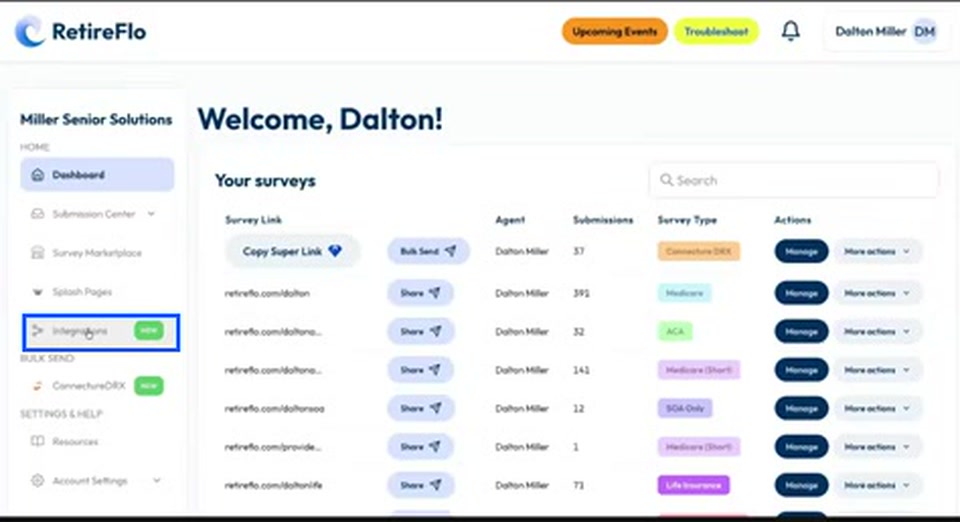
Navigate to the left sidebar and select Integrations — it's the one with the big green “New” sticker.
Find Compass and click “Add new connection”
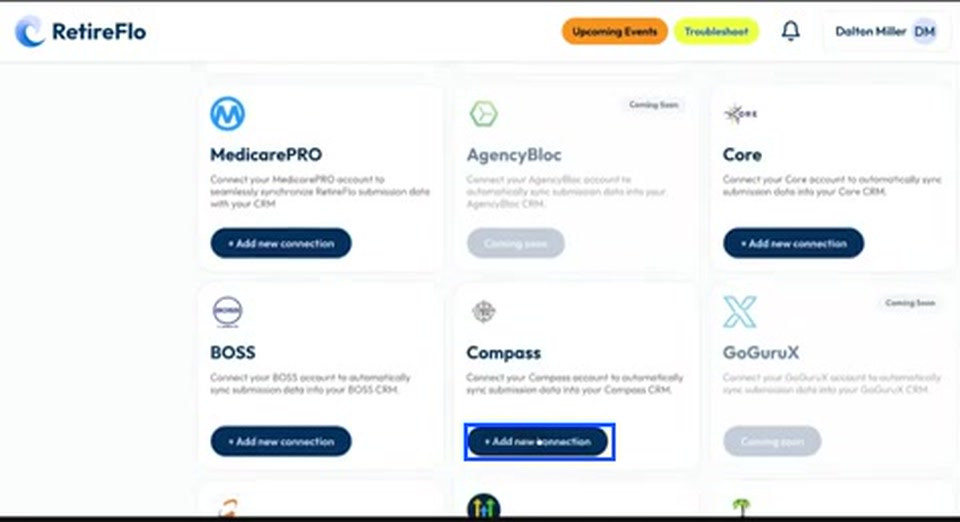
Scroll down to the available integrations and look for Compass. Press Add new connection on its card.
Authorize the connection
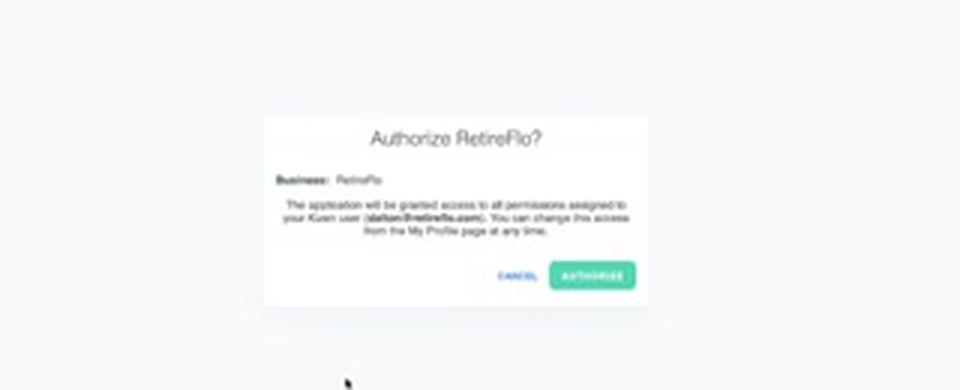
A little pop-up box asks whether you want to authorize a connection between RetireFlo and Compass. Obviously, you do — go ahead and authorize it. At this point the two systems are connected; there's just one more step.
Edit your Connected Surveys
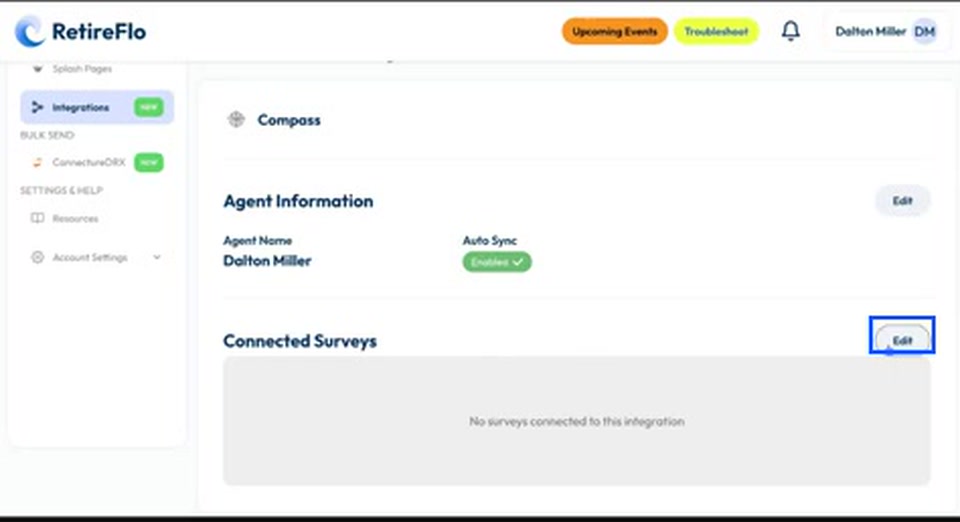
Your final step is to make sure your surveys are actually sending data to Compass. Scroll down to Connected Surveys and press Edit.
Select your surveys and save
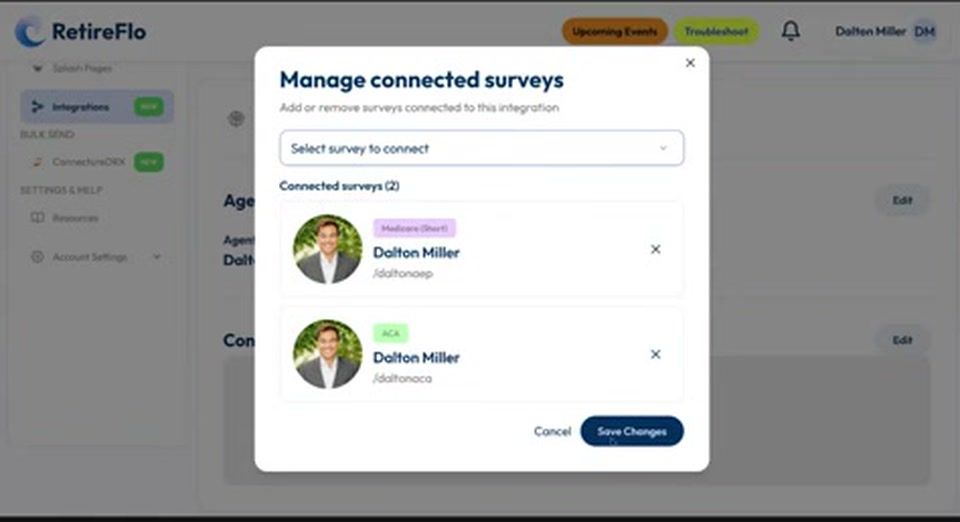
You'll get a drop-down menu of available options — pick the surveys you want flowing into Compass (Medicare, ACA, whatever you like). Press Save Changes and boom, you're done: your RetireFlo account and Compass are now married.
Good to know
- Not signed in to Compass? Instead of the authorize pop-up, RetireFlo will simply ask you to sign in first — that's why step 1 matters.
- You choose which surveys sync. Maybe you use a different CRM for life insurance and don't want those mixed in — you have that flexibility, though the more the merrier.
- How it works going forward: when somebody completes a survey, RetireFlo asks Compass whether you already have that customer. New client? We create a brand-new Compass profile with everything we collected — drugs, doctors, hospitals, pharmacies, address, phone, date of birth. Existing client? We update that profile instead of creating a duplicate.
- How matching works: we look for a matching first name + email, or first name + phone number. If either comes back a hit, the existing profile gets updated.
Still stuck?
Grab a time with the RetireFlo team and we'll walk through it with you — or ask the community, someone's always online.