 RetireFlo Resources
← All tutorials
RetireFlo Resources
← All tutorials
Integrating CORE CRM with RetireFlo
Hook your CORE CRM up to RetireFlo in just a few minutes.
Log in to your CORE CRM
Step one is something you'll have to do on your own — we can't help with it. On another tab, log in to JSA's CORE CRM. Get it all squared away and make sure you're signed in before moving on.
Log in to RetireFlo
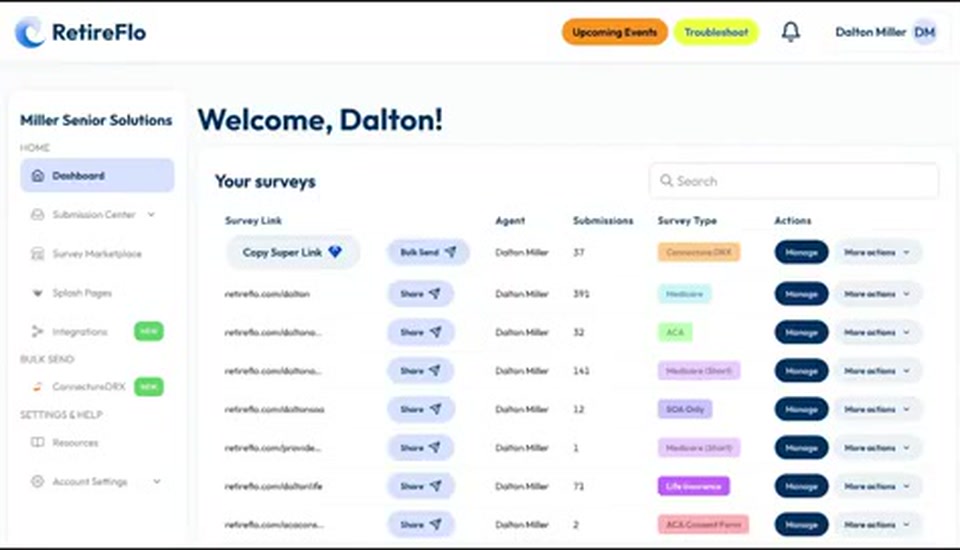
Now for our bread and butter: on another tab, go to retireflo.com and log in. You'll land in your RetireFlo dashboard with a list of all your surveys — Medicare, Connecture, ACA, any of them can send data to CORE.
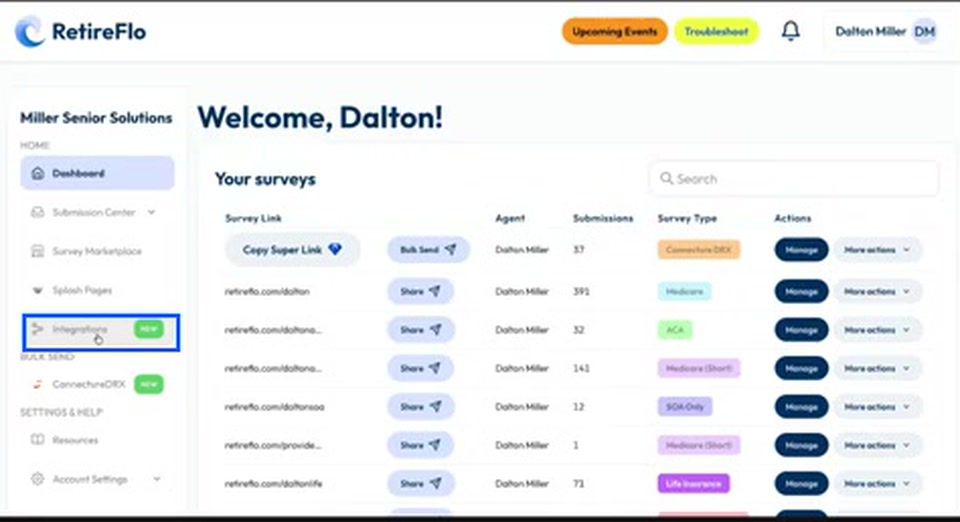
Press Integrations
Navigate over to the integrations page of your RetireFlo dashboard by pressing Integrations in the left sidebar.
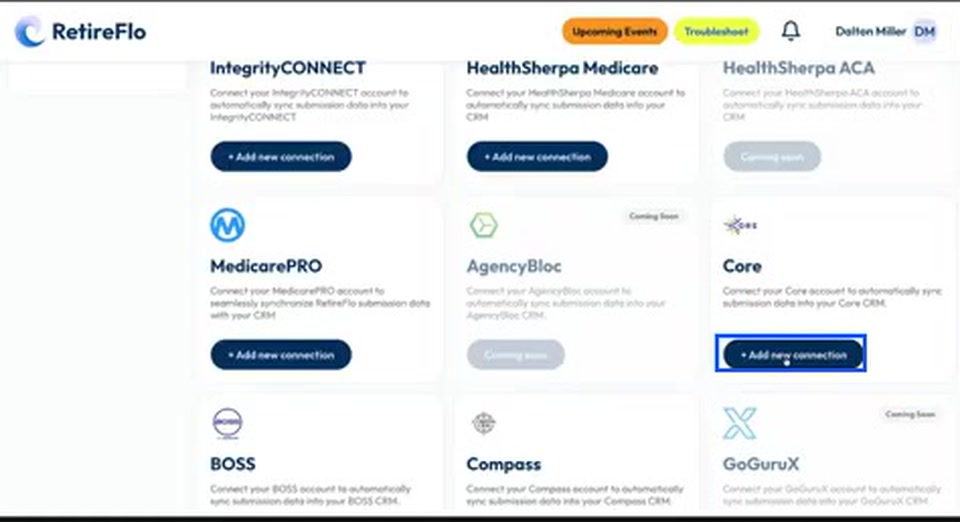
Find Core and press “Add new connection”
Scroll down to the available integrations and find Core in the list — it tends to float around this section. Press Add new connection.
Authorize RetireFlo
Because you're already logged in to CORE, we'll recognize that and ask you to authorize RetireFlo. Press the big green Authorize button. Once you do, we bring you straight back to RetireFlo with a green check letting you know your Core integration has been enabled.

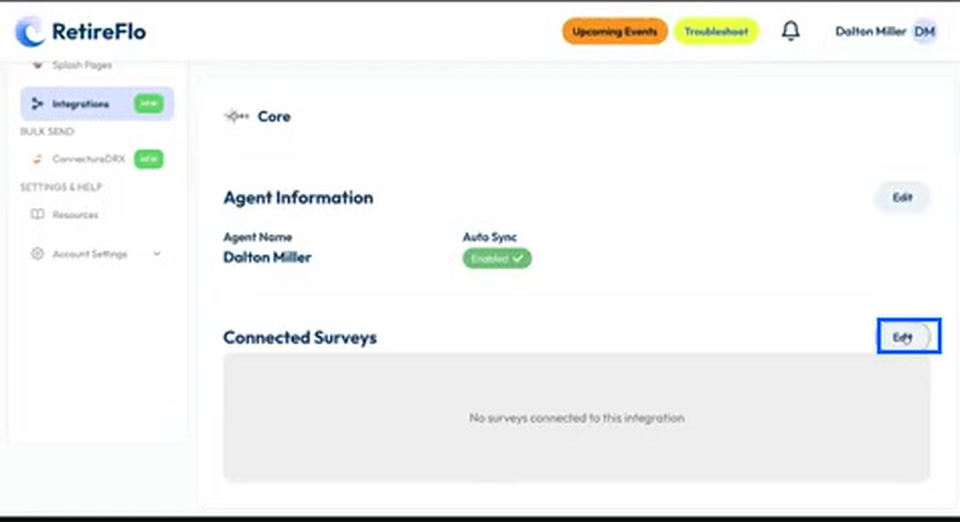
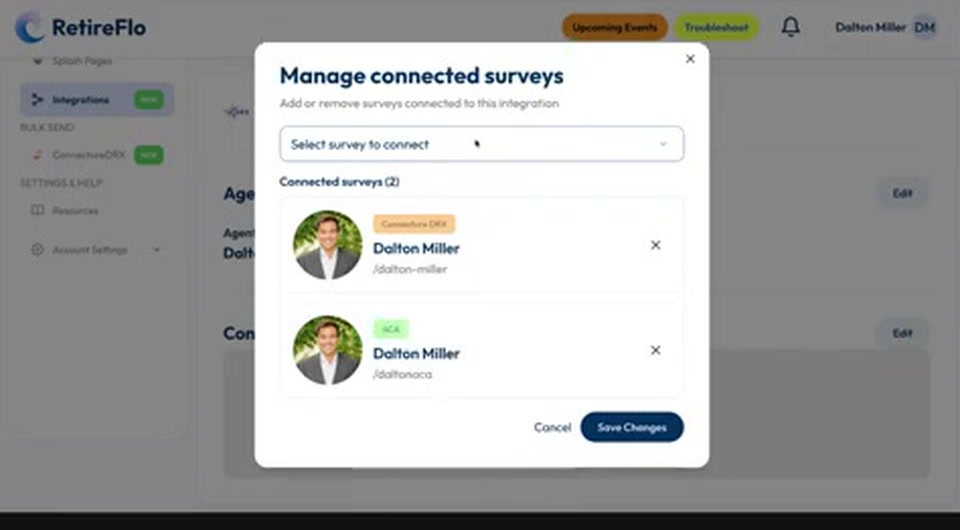
Press Edit next to Connected Surveys
You're not out of the woods yet — this is the little trick some people miss. You still need to connect your surveys (all those data streams and intake forms) to Core. Press Edit next to Connected Surveys.
Select your surveys and save your changes
Select which surveys you'd like to connect with Core — if you're a JSA agent that might be your Connecture survey, plus ACA and Medicare if you have them. Then press Save Changes, and boom, you're done. That's all it takes to connect your RetireFlo account with Core.
Good to know
- Authorize screen didn't come up? Enter your Core username and password, then press Authorize.
- You decide which surveys connect. Maybe you don't want life insurance data funneling into Core — we give you the chance to choose.
- How it works going forward: when a client completes one of your surveys, either we make a brand-new profile in Core with all the data we collected — no more data entry — or, if you already have that client, we update their existing profile instead of creating a duplicate.
- How matching works: we look inside Core for a matching first name + email, or first name + phone number. Either hit means we update rather than duplicate — so you can mass-blast your survey to your whole book of business and let the profiles create or update themselves.
Still stuck?
Grab a time with the RetireFlo team and we'll walk through it with you — or ask the community, someone's always online.