 RetireFlo Resources
← All tutorials
RetireFlo Resources
← All tutorials
Integrating RetireFlo & IntegrityCONNECT
Connect RetireFlo with IntegrityCONNECT and stop double-entering client data.
Log in at retireflo.com
If you already have a RetireFlo account, go to retireflo.com and log in — that's it. New to us? Press Get Started instead (and see the promo code tip below). The whole integration takes no more than literally five seconds.
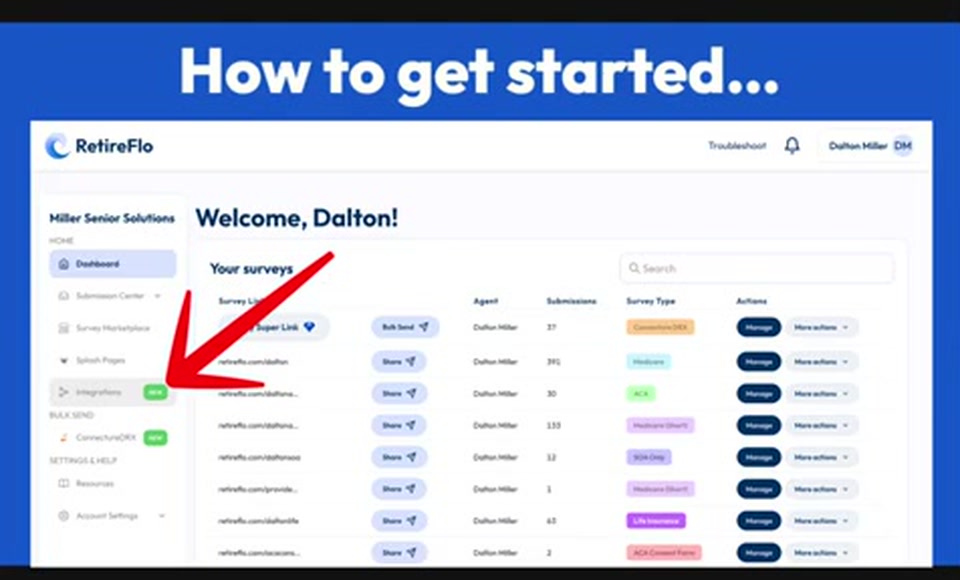
Select Integrations
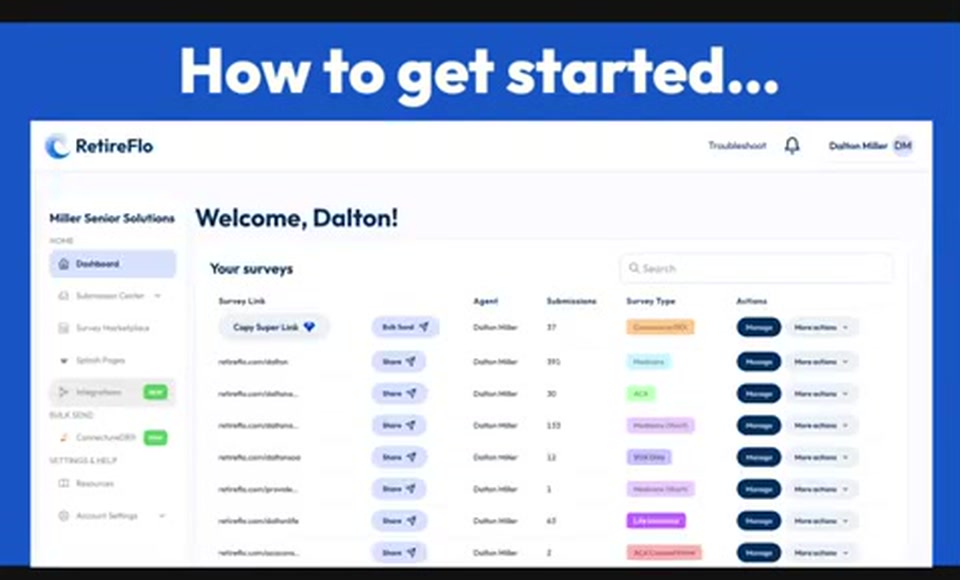
From your dashboard, go to the left side and select Integrations.
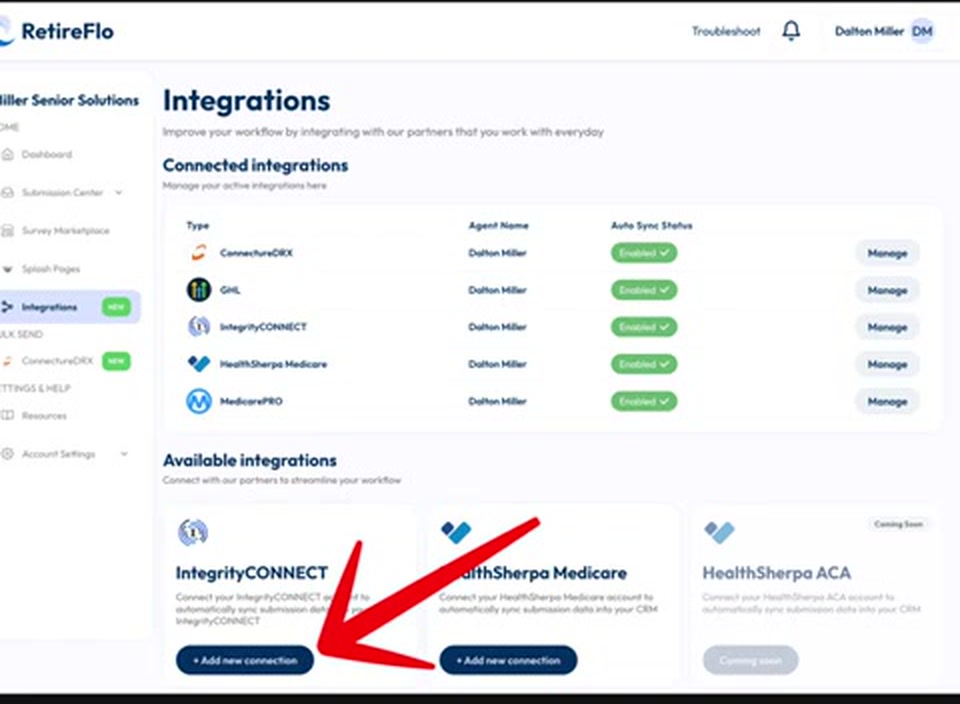
Press “Add new connection” on IntegrityCONNECT
Scroll down to Available integrations — you'll see everything we offer and what's on the way. Find IntegrityCONNECT and press Add new connection.
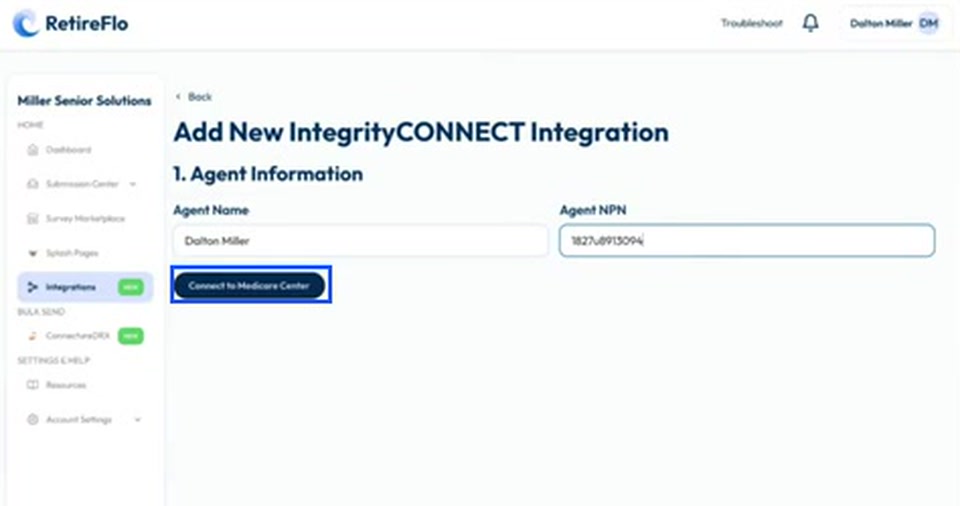
Enter your name and NPN, then connect
Type in your agent name and your NPN, then press the connect button. (It currently says Connect to Medicare Center — the label's a little out of date, but it connects you to Integrity Connect.)
Choose which surveys to integrate
We'll then ask which surveys you'd like to integrate. If you have the Medicare survey, maybe the ACA survey — connect them. You're done. That's it.
Verify the connection
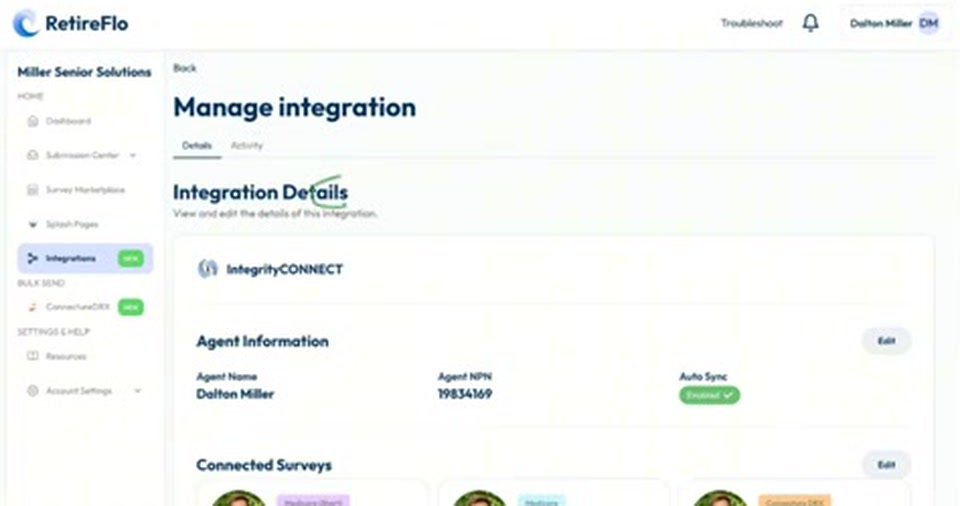
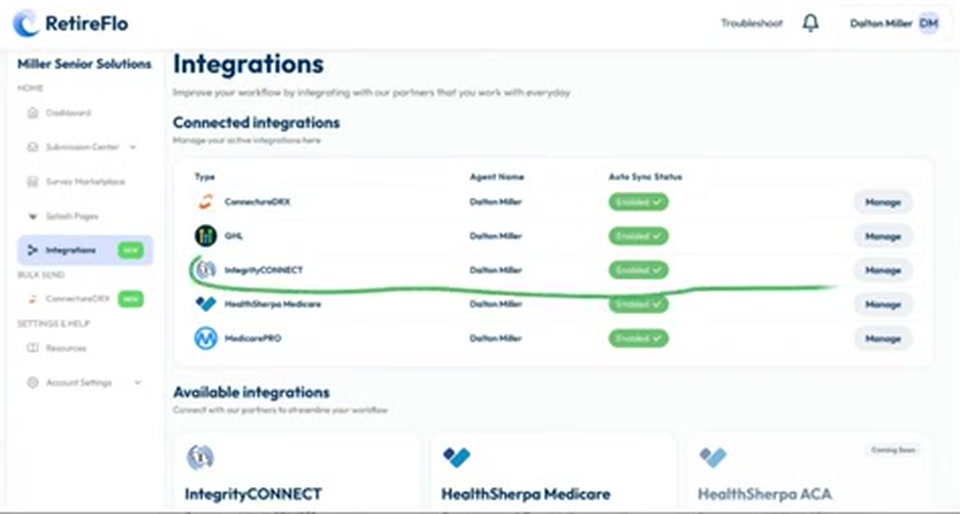
Back on the integrations page you'll now see IntegrityCONNECT listed as connected with a big green check. Press Manage to see the details, and check the Activity tab — it tells you what's working, what's not, and all the contacts you've created.
Send your survey link and watch clients flow in
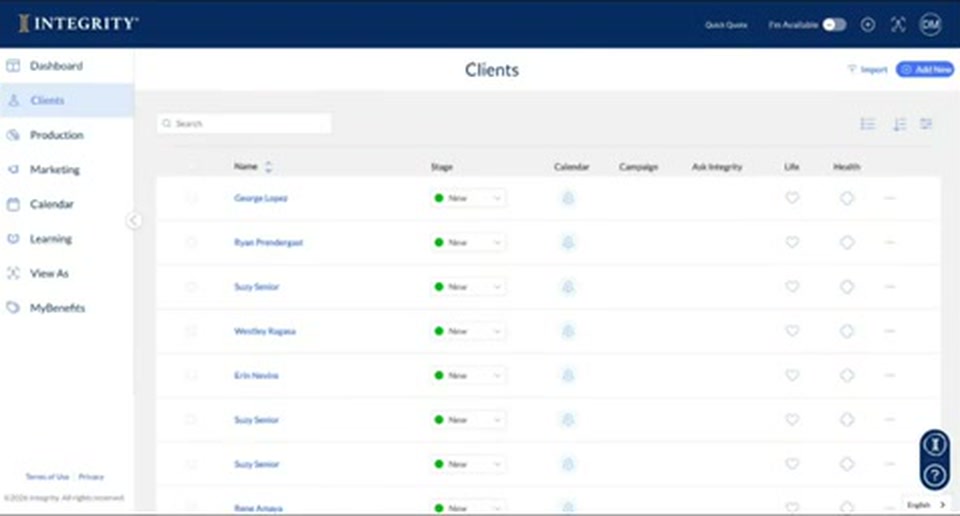
From here it's seamless: copy your Medicare link from the RetireFlo dashboard and paste it into a text or email to your client. When they finish the survey (about 10 questions, five minutes), you get a notification in RetireFlo, the sync activity goes green, and your client appears right at the top of your Integrity Connect clients page — prescriptions, providers, pharmacies, address, and phone all saved and ready to start a quote.
Good to know
- New to RetireFlo? Integrity downline agents get 40% off — press Get Started and use promo code INTEGRITY40, all caps.
- Medicare only (for now): IntegrityCONNECT syncs your Medicare survey submissions — the ACA survey doesn't sync yet, even though the video mentions it.
- The button says “Connect to Medicare Center”? That label is a little out of date — it's the right button, and it connects you to Integrity Connect.
- Change your mind later? You can manage the integration as you see fit from the Manage button, or delete it entirely — though we wouldn't recommend that.
- Returning shoppers: if a client wants to shop again next season, just send them another RetireFlo link. We look for a matching first name + email or first name + phone number and update their existing profile rather than creating a duplicate — then you run the quote again.
Still stuck?
Grab a time with the RetireFlo team and we'll walk through it with you — or ask the community, someone's always online.