 RetireFlo Resources
← All tutorials
RetireFlo Resources
← All tutorials
Integrating MedicarePRO & RetireFlo
A quick setup to connect MedicarePRO and RetireFlo — under four minutes, start to finish.
Go to retireflo.com
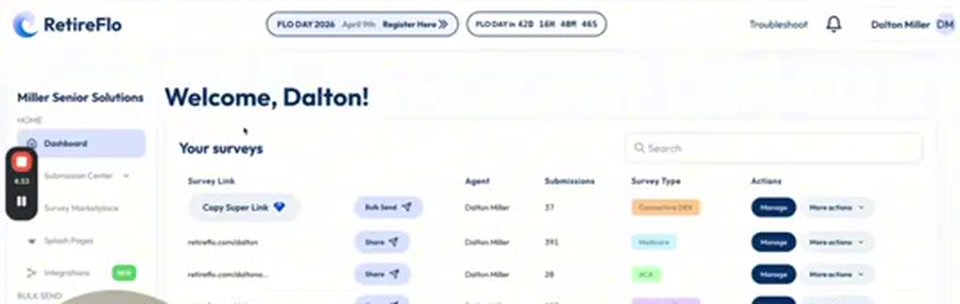
That's always where we start. Head to retireflo.com and log in — you should arrive at a screen that says “Welcome” with your name.
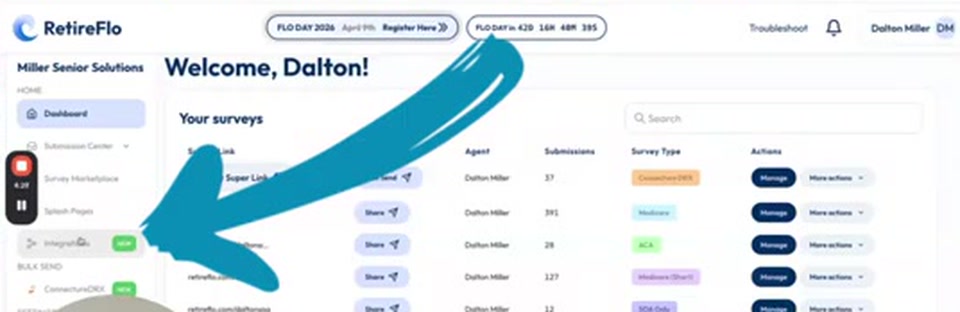
Navigate to Integrations
Your next click is Integrations, over on the left side of the dashboard.
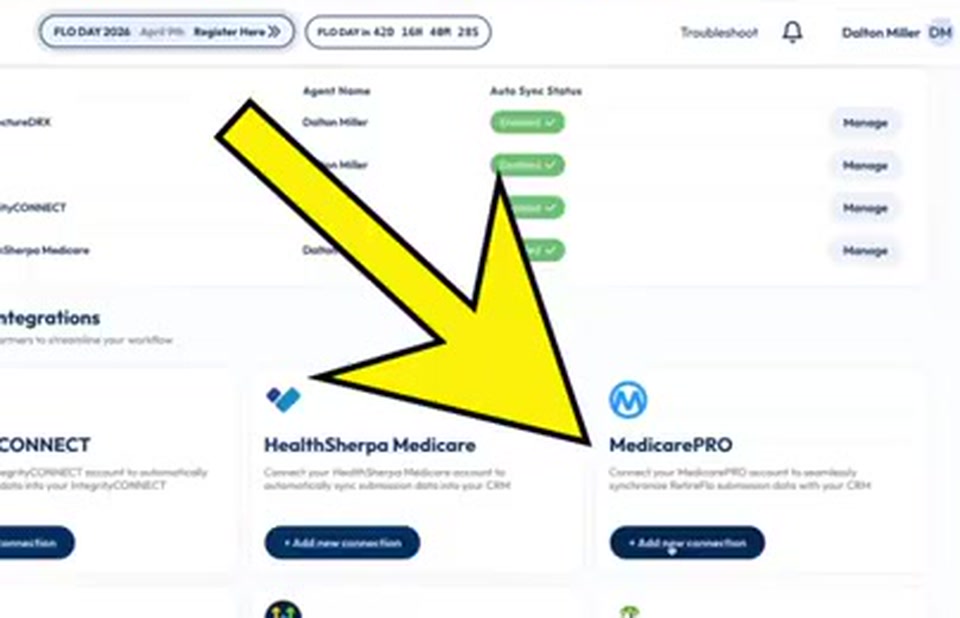
Press “Add new connection” on MedicarePRO
In the available integrations, find MedicarePRO and press Add new connection.
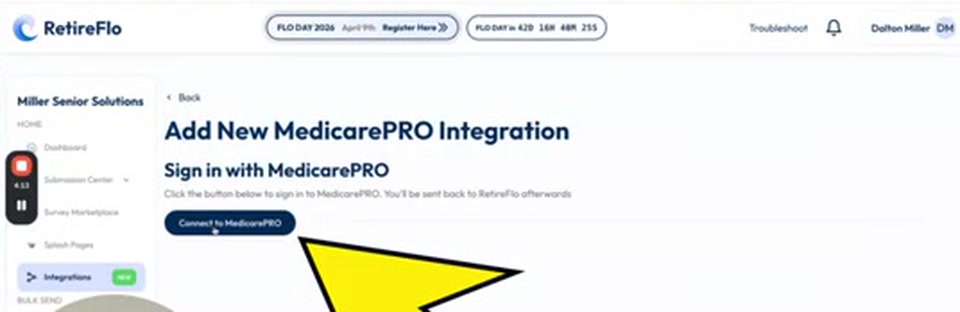
Press “Connect to MedicarePRO”
On the Add New MedicarePRO Integration screen, click the Connect to MedicarePRO button to sign in to MedicarePRO — you'll be sent back to RetireFlo afterwards.
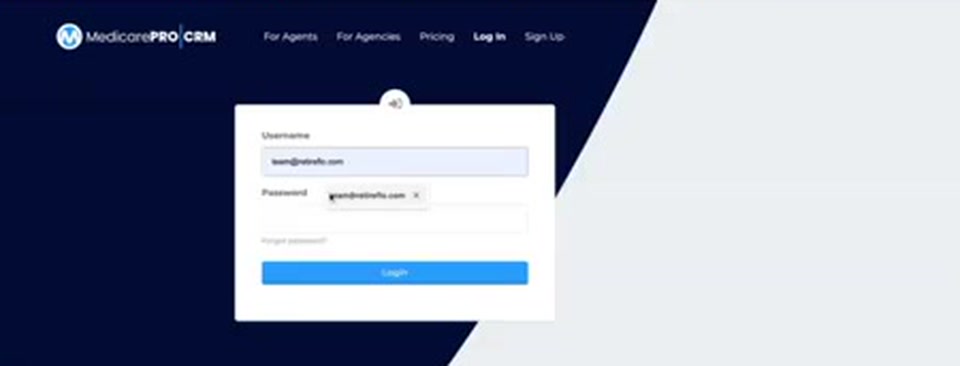
Log in on the Medicare Pro side
Now you're live on the Medicare Pro side of the house. All you do is log in — and voilà, your MedicarePRO integration is created. Literally that easy.
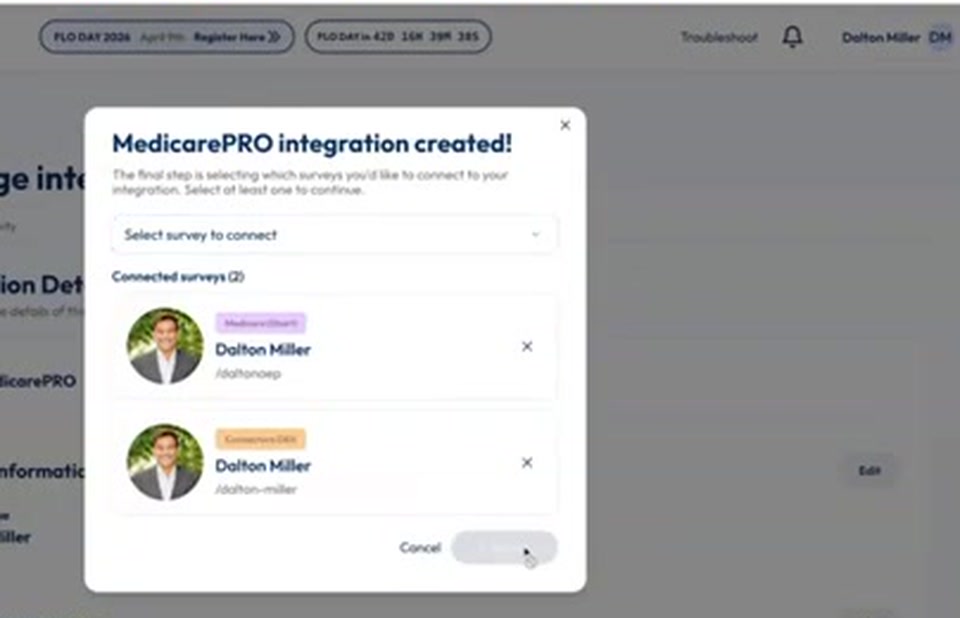
Select your surveys and press Finish
Your final step is selecting which surveys you'd like to integrate — pick at least one from the drop-down. Maybe you've got an agency where one person has a Medicare Pro CRM and another doesn't; we give you the flexibility to choose which surveys go in. Pick yours — your Medicare survey, your Connecture survey — and press Finish. What do you know? It's done. Ready to rock.
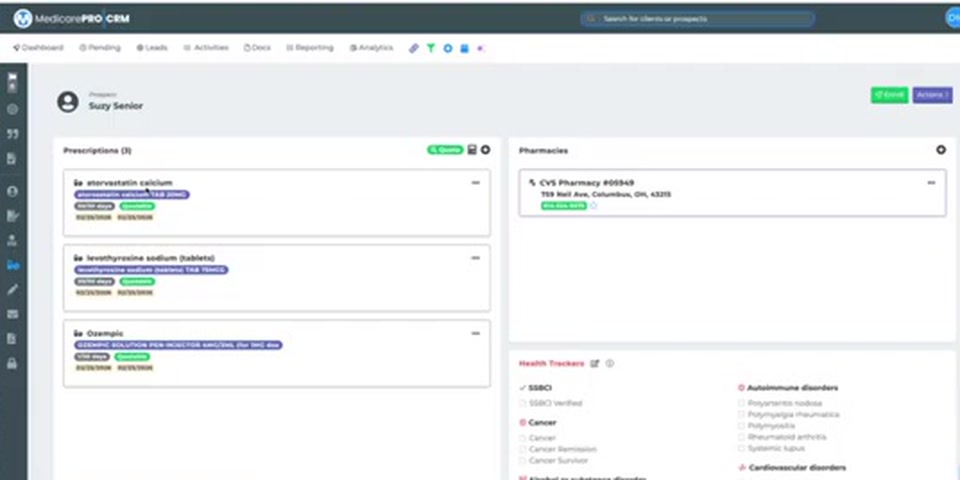
Watch the data land in Medicare Pro
Going forward, when someone completes a RetireFlo survey, all that data transfers over automatically. A brand-new client shows up as a prospect with everything you could ever need — first name, last name, date of birth, cell, email, address — plus their drugs and pharmacy in the Rx & Health section and their providers in the provider section.
Good to know
- Data flows one way. RetireFlo sends data into Medicare Pro — it doesn't go backwards. We're not magicians.
- Create or update: a new person becomes a prospect in Medicare Pro; if we find an existing match, we update that profile instead.
- How matching works: we look for a matching first name + email, or first name + phone number. That's it — those are what we're looking for.
- Zero clients showing? Don't fret — brand-new survey takers land under prospects, not clients.
Still stuck?
Grab a time with the RetireFlo team and we'll walk through it with you — or ask the community, someone's always online.