 RetireFlo Resources
← All tutorials
RetireFlo Resources
← All tutorials
Using the “Part D Only” Function
Quote drug-only coverage for clients who just need Part D — here's where the switch lives and how it works.
Log in to your RetireFlo dashboard
As always, step one is heading to retireflo.com and logging in. Every user of the platform has the Part D only functionality — you'll find everything you need right on your dashboard, under “Your surveys.”
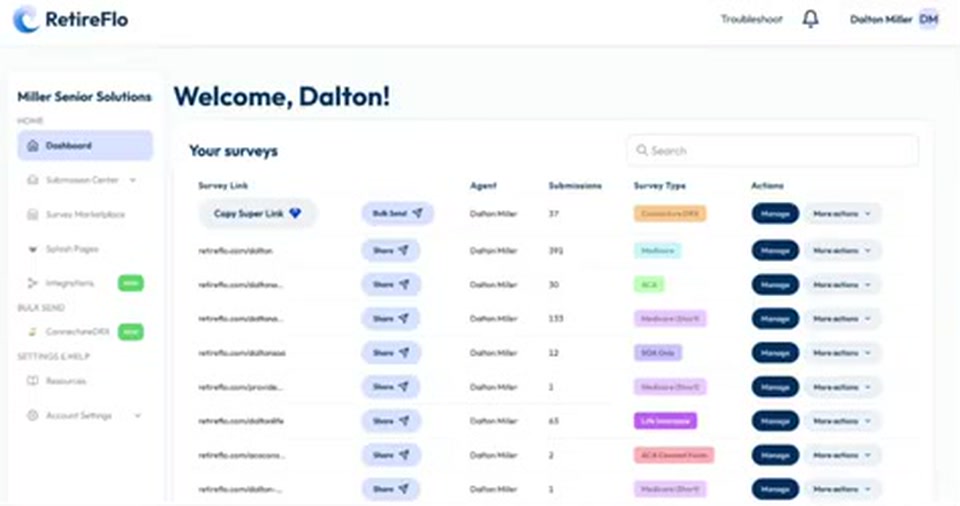
Know what the Part D only survey changes
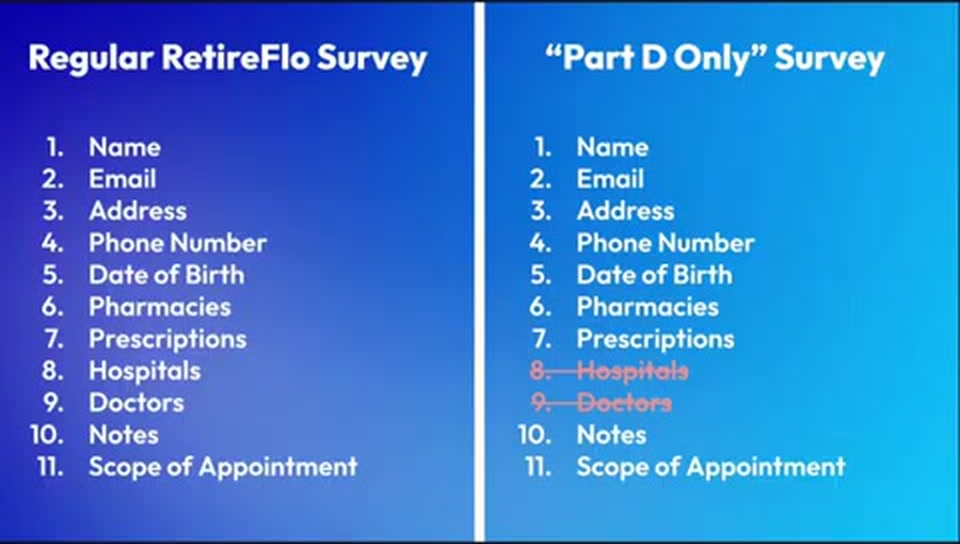
The regular RetireFlo survey is 11 questions long: basic demographics (fresh address, phone, email, and now birthday), the sensitive PHI — pharmacies, prescriptions, hospitals, doctors — a notes section, and the scope of appointment form. The Part D only survey strikes the hospital and doctor questions from the intake form, so it's only nine questions long.
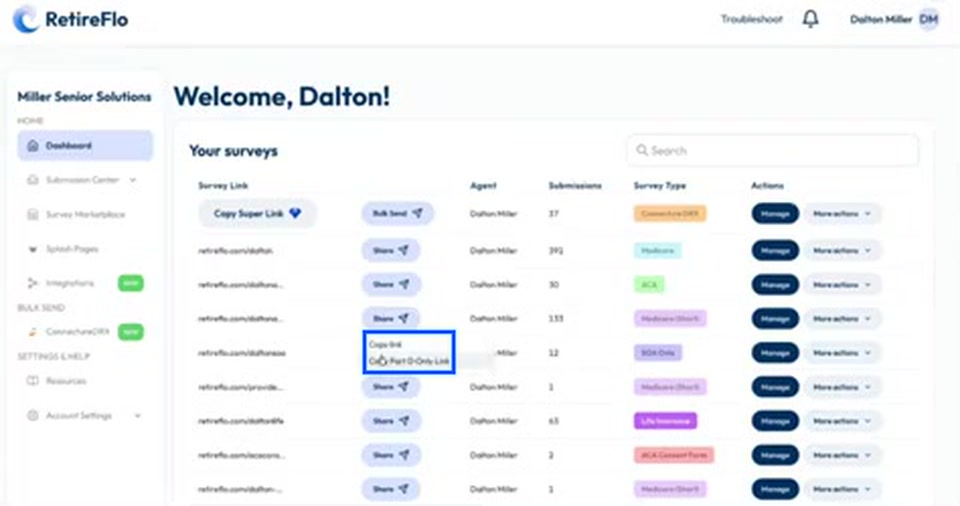
Click Share and copy the Part D Only link
Find your survey in the list and click Share. You'll see two options: Copy Link grabs your traditional link and sends clients through the full survey, while Copy Part D Only Link grabs the nine-question version.
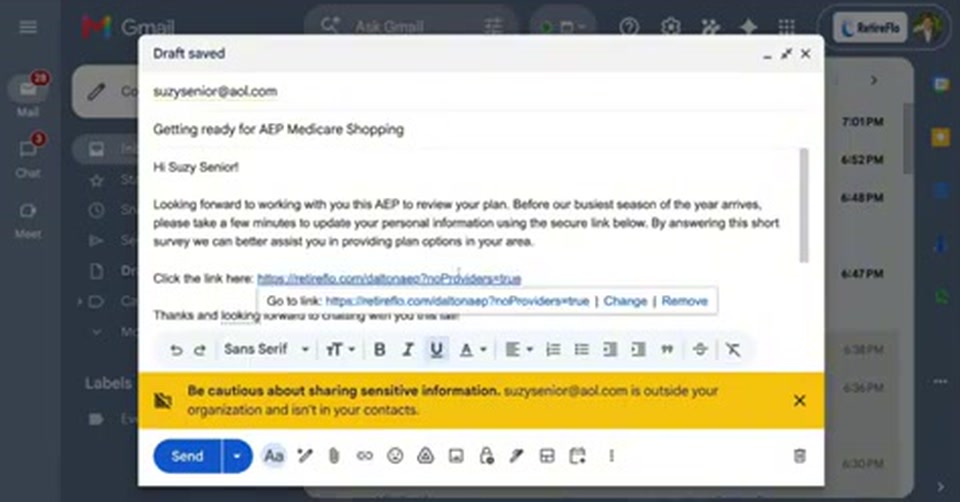
Paste the link into your client email
Head to your email, paste the link with Ctrl+V (or Cmd+V on a Mac), and hyperlink it so your client can just click it. You'll notice the Part D only link is a little longer, with some technical gobbledygook at the end — that's just tech speak ensuring the doctor and hospital questions are not included.
Connecture users: open Bulk Send
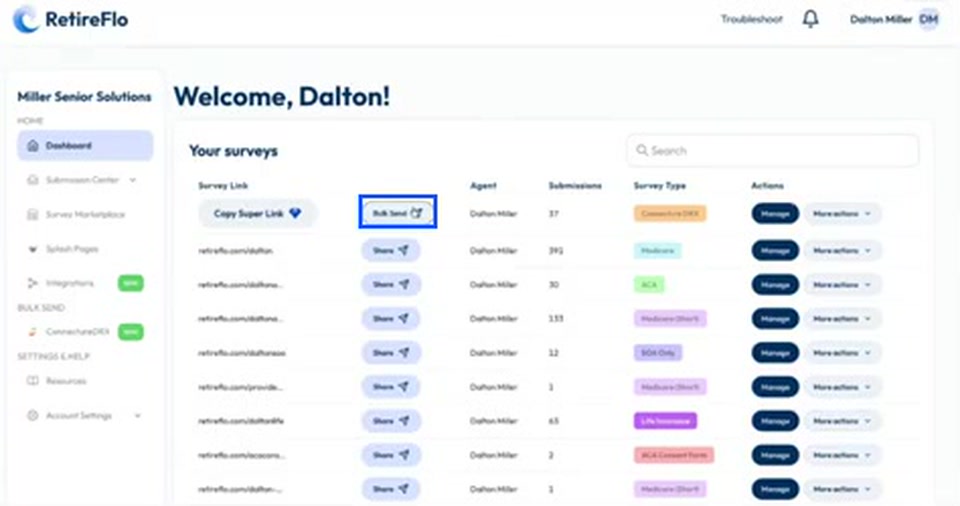
If you're a ConnectureDRX user, you must send the Part D only link through the Bulk Send feature. Click Bulk Send in the center of your dashboard, or head to the Bulk Send section under ConnectureDRX in the left menu — both take you to the same place.
Select your clients and click Send Survey
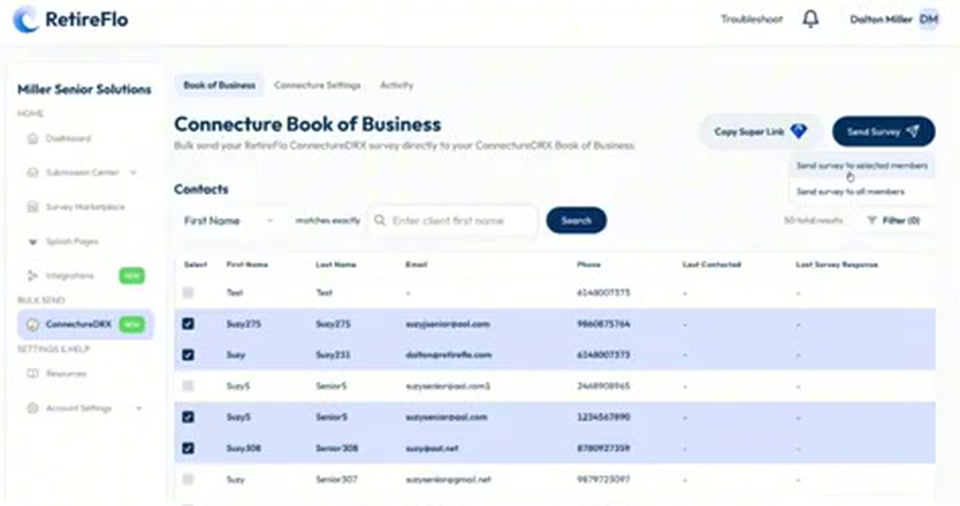
Your Connecture book of business appears as a contact list. Check the boxes next to the clients you want to reach, then press Send Survey to send it to your selected members. With Bulk Send, RetireFlo takes care of the sending for you.
Customize the message and check “Send Part D only”
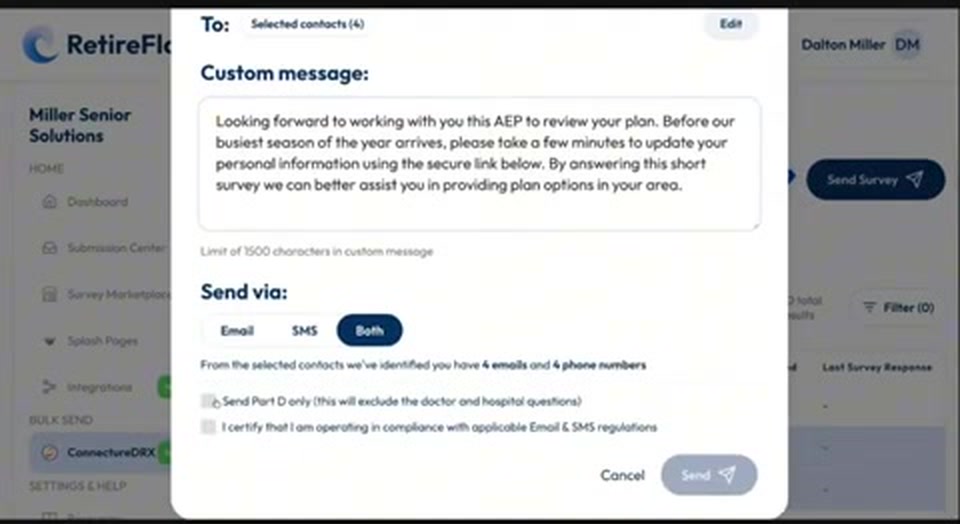
Write (or paste) a custom message, choose whether to send via email, text, or both, and then look at the fine print at the bottom: there's a checkbox that says Send Part D only — it will exclude the doctor and hospital questions. Opt in, or skip it. Up to you.
Good to know
- Only write Med Supps? This feature is for you. Asking about doctors and hospitals can make supplement clients concerned — they chose a supplement so they can go wherever they need to. Skipping those questions avoids encouraging that phone call during the busiest season of the year.
- Big PDP block? Streamline the process and make it easier for your Part D clients to shop — especially if some of those plans no longer pay commission.
- Fewer questions, more completions. Ask a thousand clients 11 questions or ask a thousand clients nine — the nine-question survey gets a higher take rate. Sometimes folks stumble; it happens.
Still stuck?
Grab a time with the RetireFlo team and we'll walk through it with you — or ask the community, someone's always online.